New · How Copy UI Design Works

Copy premium UI designs
straight into Figma.

Skip the rebuild. Browse real websites, landing pages and dashboards on Indiater, hit Copy, and paste fully editable layouts into Figma in seconds.

Editable premium UI layouts
Seamless copy to Figma
Save hours of rebuilding
Pixel-perfect UI systems
indiater.com / saas-landing-hero
Copy to Figma
Pasted into Figma — fully editable
Why Indiater

Inspiration that actually ships.

Most galleries only show screenshots. Indiater turns inspiration into editable Figma layouts so designers, agencies and product teams can move from idea to production in minutes.

Save hours of UI recreation

Stop manually drawing boxes and typing out placeholder text. Start with a solid foundation immediately.

Build landing pages faster

Mix and match hero sections, pricing tables, and footers from premium real-world sites.

Maintain typography & spacing

Every imported layout keeps the exact spacing values and font sizing used in production.

Scale modern UI patterns

Learn how top companies structure their auto-layout frames and component architecture.

Accelerate wireframing

Turn high-fidelity imports into low-fidelity wires to map out new user flows instantly.

Reduce repetitive work

Never build a standard navigation bar or footer from scratch again. Just copy, paste, and tweak.

Knowledge base · How it works

Copy a website to Figma in
six steps.

A complete walkthrough of the Indiater Copy to Figma workflow — what each step does, what to expect, and the screen reference for every action.

Step 01

Explore website designs on Indiater

Browse premium website inspiration, landing pages, dashboards and modern UI designs on Indiater. Filter by category to find exactly the layout pattern you need.
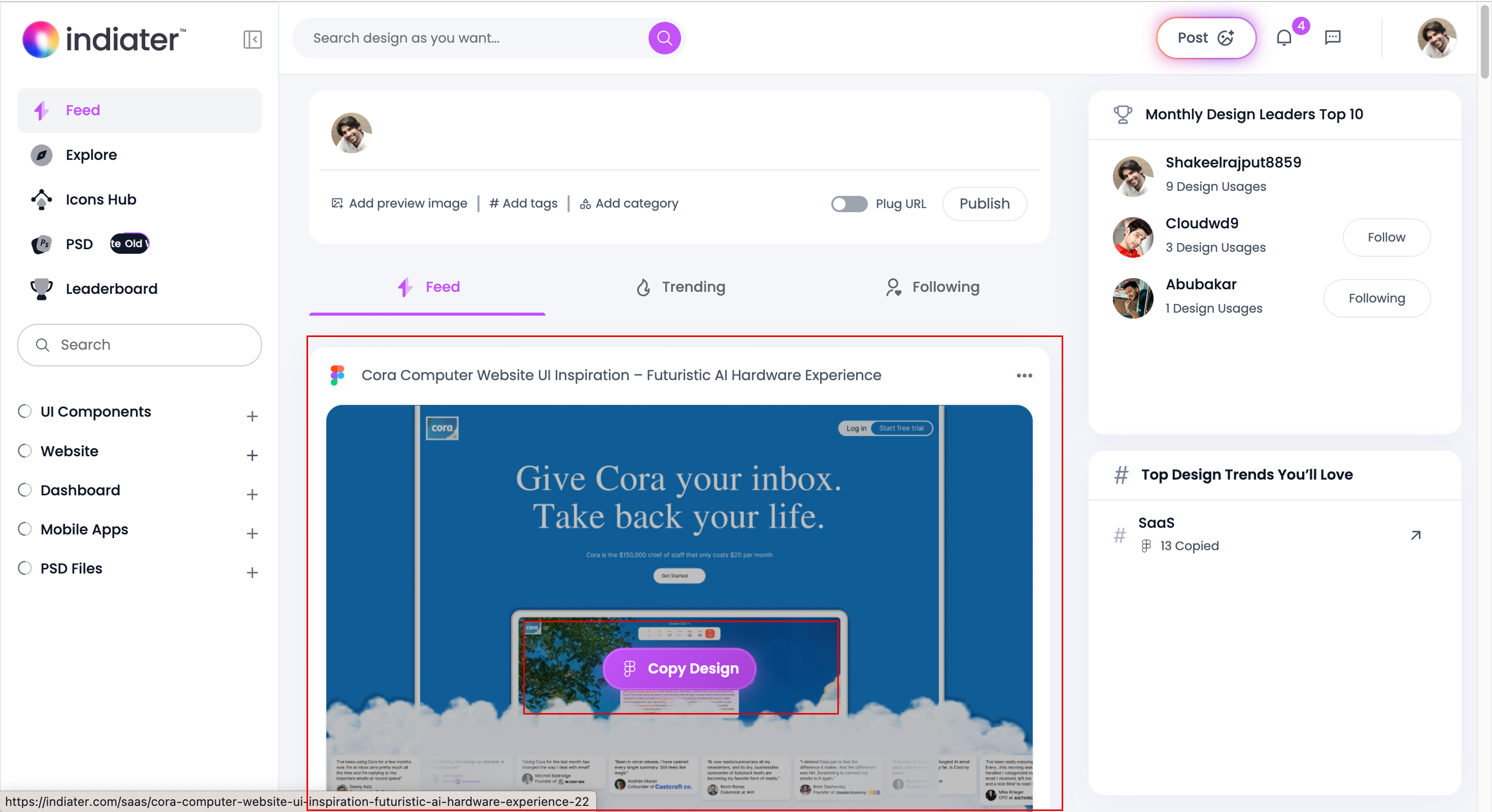
SaaS websites & startup landing pages
Dashboard and web app layouts
Mobile app screens & hero sections
Step visualization
Figure 1: Explore website designs on Indiater
Step 02

Open the design page

Click any design to open its full details page. Preview the live website, read the description, view categories and tags before importing.
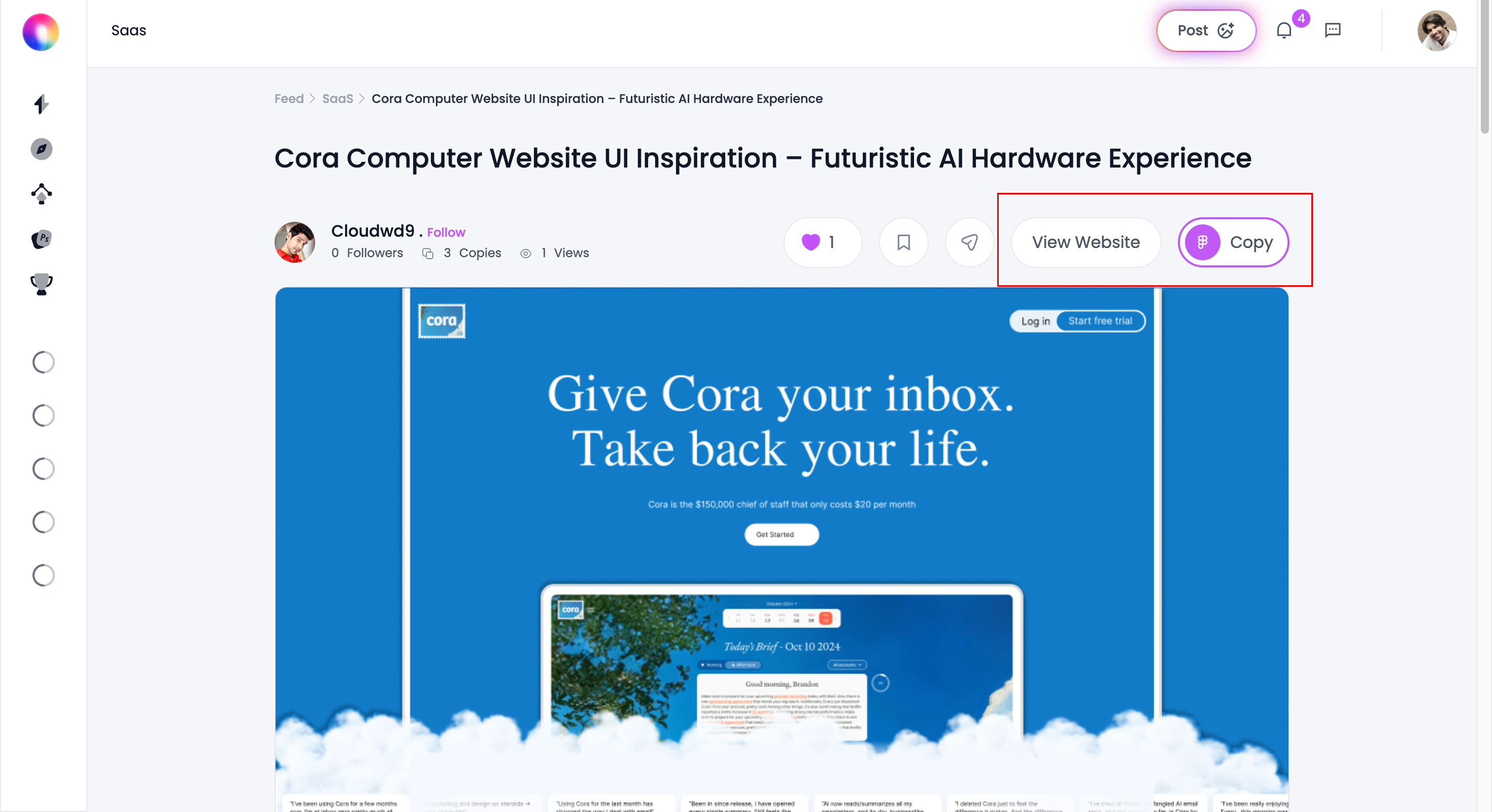
Full page live preview
Categories, tags & design styles
Open original site in new tab
Step visualization
Figure 2: Open the design page
Step 03

Click the "Copy" button

Hit Copy and Indiater instantly prepares the layout for Figma — no manual rebuilding, no lost styles.

Typography & spacing preserved
Component level extractions
Sections & alignment kept intact
copy-post-indiater
Figure 3: Click the "Copy" button
Step 04

Open Figma

Jump into your Figma workspace. Create a new file, open an existing project, or land in your design system page — no alter for your workflow.
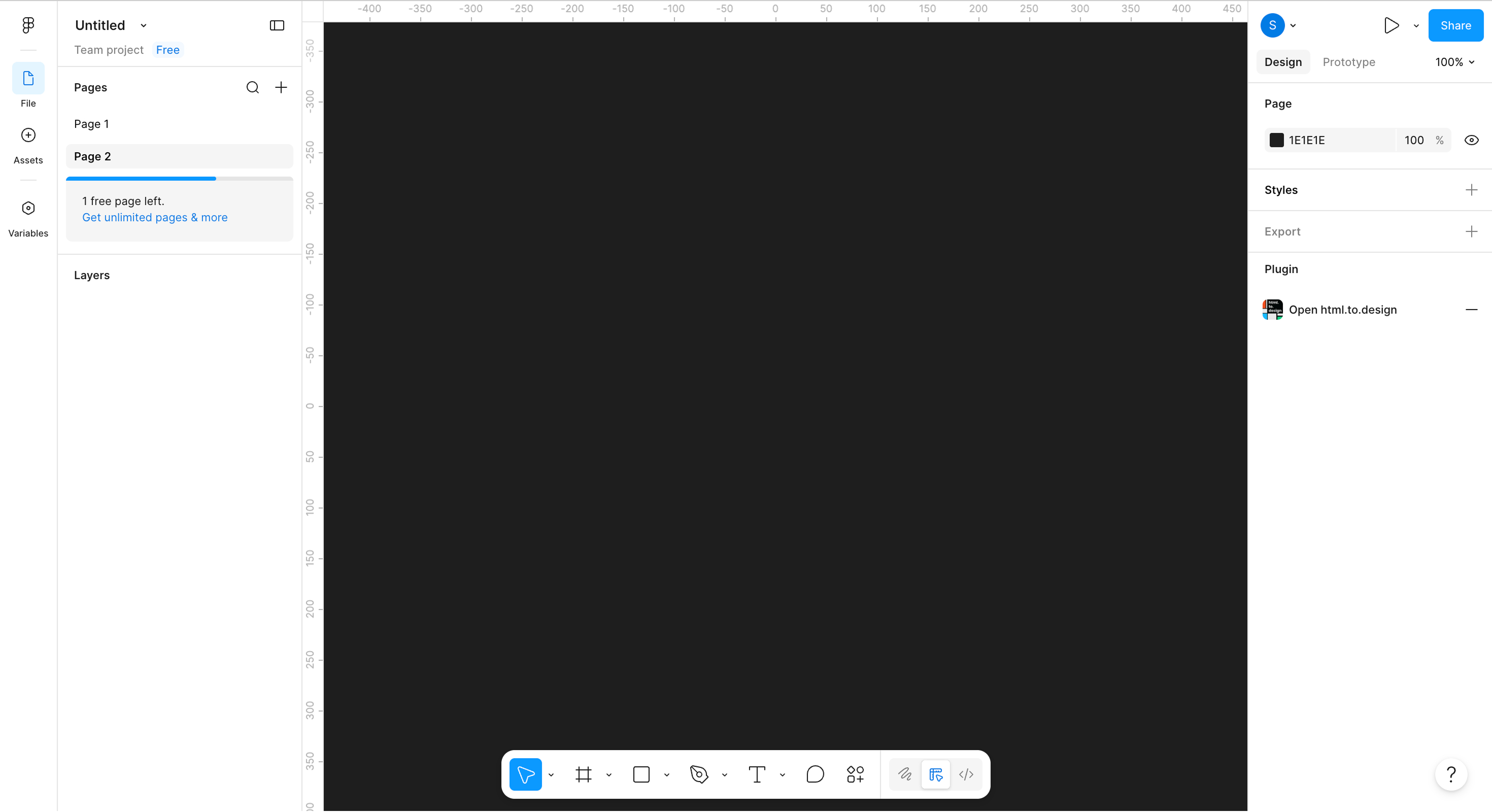
Use in new/existing project
Native file in your design system
Standard Figma workflow
open-figma
Figure 4: Open Figma
Step 05

Paste the design into Figma

Right-click on the canvas and choose Paste here — or use your keyboard shortcut. The full website layout drops in within seconds, organized and editable.
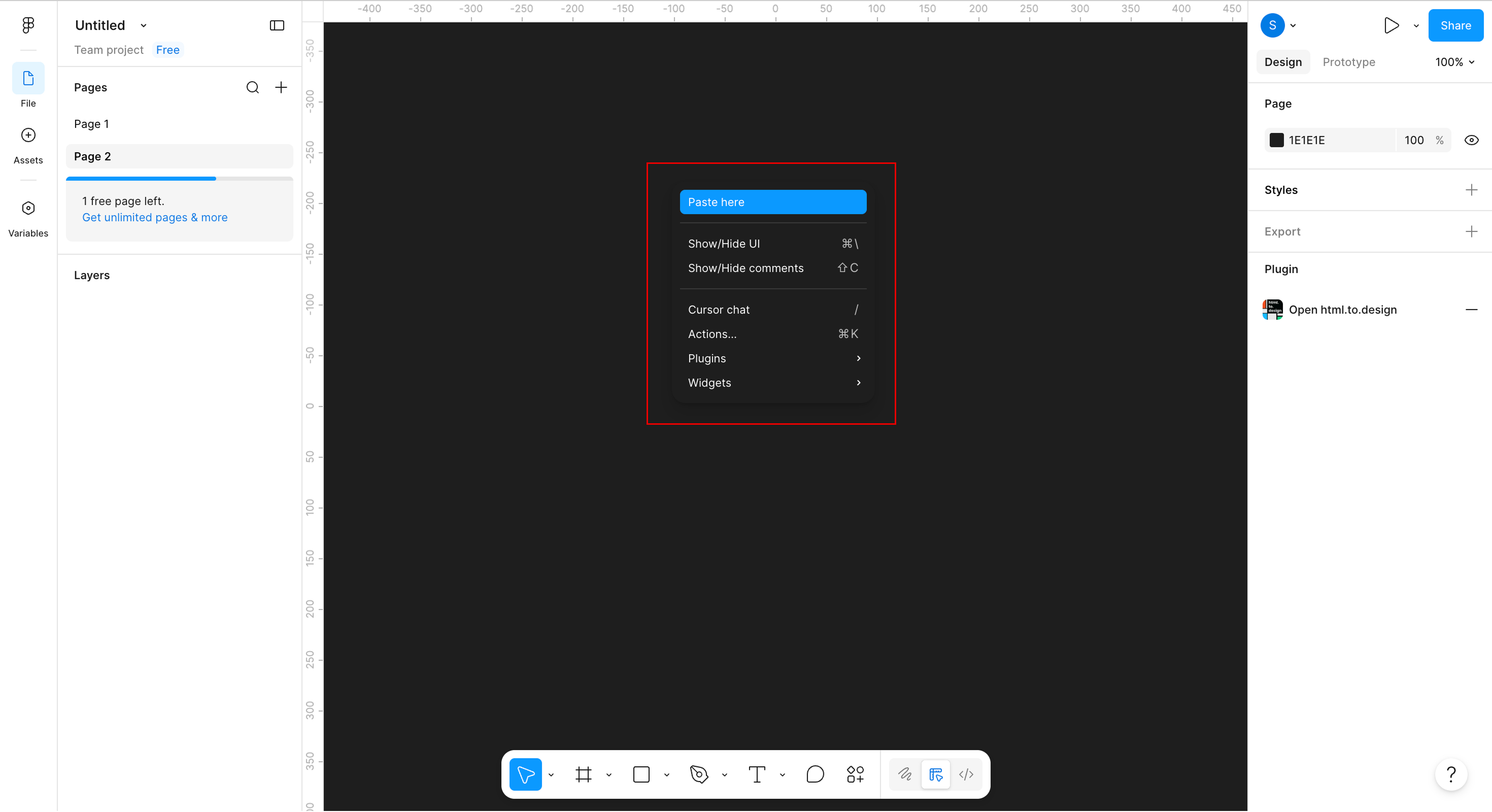
Auto-layout preserved
Vector/SVG format
Layers grouped automatically
paste-in-figma
Figure 5: Paste the design into Figma
Step 06

Edit the imported layout

Customize everything — text, colors, images, buttons, typography, spacing. Build prototypes, ship client work, and grow your design system.
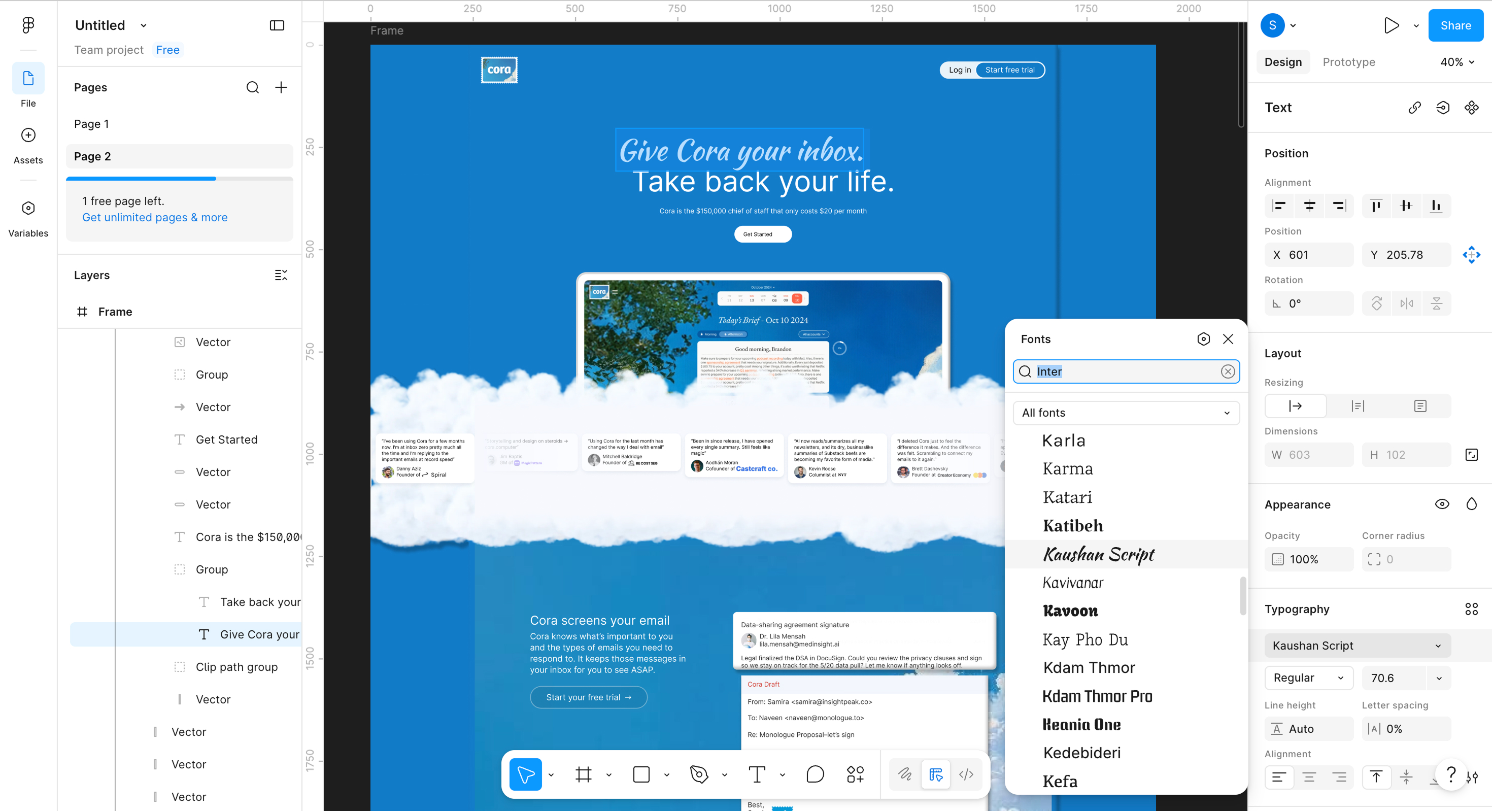
Edit text, colors & typography
Swap images & components
Build prototypes & test faster
Step visualization
Figure 6: Edit the imported layout
Use cases

What you can copy

Desktop, tablet, mobile. Marketing sites, dashboards, and product flows. Every copied section keeps typography, spacing and component structure intact.

SaaS landing pages

Spin up modern, conversion-focused pages with ready-made hero and feature sections.

Website redesigns

Drop in editable premium layouts and accelerate the entire redesign workflow.

Startup MVPs

Ship MVP interfaces faster without building every screen from scratch.

Rapid wireframing

Turn inspiration into working wireframes in minutes, not days.

Design systems

Use scalable UI blocks to lock consistency across every product surface.

Client presentations

Build polished mockups your clients will sign off on instantly.

What You Can Copy

Real layouts.
Across every surface.

Desktop, tablet, mobile. Marketing sites, dashboards, and product flows. Every copied section keeps typography, spacing and component structure intact.

Real layouts SaaS landing pages Hero sections Dashboards Product pages UI components Responsive sections
Why Indiater

Why designers love Indiater.

Most inspiration websites only show screenshots. Indiater helps designers actually use the layouts by importing them directly into Figma.

Move from inspiration to design faster.

Faster workflow
Better productivity
Reduced repetitive work
Better UI consistency
Easy prototyping
Faster startup MVP design
Best For

Indiater Copy to Figma is perfect for

UI designers UX designers Agencies Startups Freelancers Product teams Developers

It is especially useful for creating modern websites, dashboards, SaaS products, and landing pages quickly. Unlike static galleries, you directly import real layouts.

Use Cases

Best Use Cases for Copy to Figma

SaaS Landing Page Design

Quickly build modern SaaS landing pages with ready-made UI sections.

Website Redesign Projects

Accelerate redesign workflows using editable premium layouts.

Startup MVP Design

Create MVP interfaces faster without starting from scratch.

Rapid Wireframing

Turn inspiration into wireframes within minutes.

Design Systems

Use scalable UI blocks to maintain consistency across products.

Client Presentations

Create polished mockups and presentations quickly.

Benefits

UI Design Benefits for Modern Teams

Instead of spending hours rebuilding layouts manually, designers can focus more on creativity, product thinking, and user experience.

Faster Workflow

Copying layouts directly helps you move from inspiration to execution much faster.

  • Repetitive UI work
  • Manual recreation time
  • Layout rebuilding

Better Consistency

Imported layouts perfectly maintain their original design integrity and patterns.

  • Typography structure
  • Visual hierarchy
  • Component alignment

Landing Pages

Landing page designers can quickly test new layouts and conversion patterns.

  • Build conversion pages
  • Create hero sections
  • Experiment UI styles

Great for Agencies

Agencies and freelancers can speed up client projects and deliver results instantly.

  • Speed up client projects
  • Improve timelines
  • Prototype ideas quickly

Questions, answered.

Yes. Every copied section remains fully editable inside Figma — text, components, layers and all.

Yes. Layout structure and responsive behavior are preserved wherever applicable.

Absolutely. Fonts, colors, spacing, components and images can all be modified freely.

Yes. The workflow is built for professional design and production use cases.

Premium website layouts, SaaS landing pages, dashboards, responsive sections and modern UI components.

Stop rebuilding. Start shipping.

Copy real websites into Figma. Edit, prototype, and launch — all in one fluid workflow.

Editable premium UI layouts
Seamless copy to Figma
Save hours of rebuilding
Pixel-perfect UI systems